Table of Contents
The kyc file options allow for adjustment of certain KYC folder parameters.
Access the options of the kyc file #
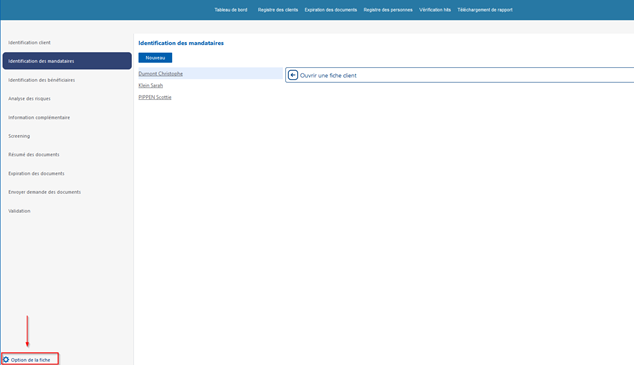
From the client file, click on the «Treatment Record Options» button located in the folder interface.
Editable settings #
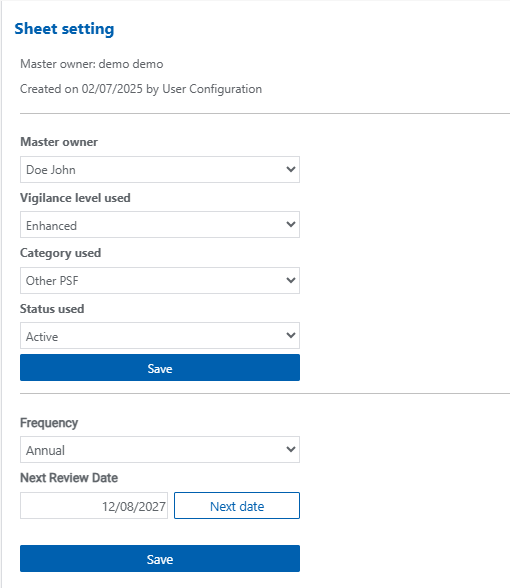
- Responsible person assigned to the KYC file.
- Vigilance level used.
- Customer category.
- Customer status: prospect, active, passive or refused
- Customer file review frequency.
- Date of next kyc file review
Possible actions #
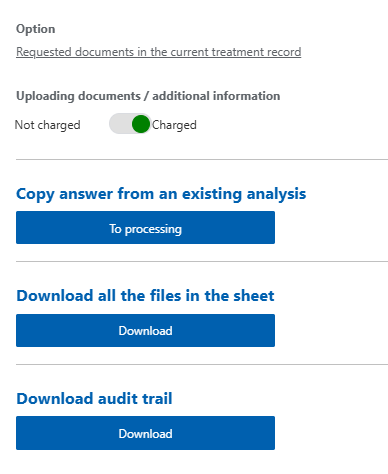
Via this menu you can:
- Amend the document request for the current file
- Copy risk analysis answers from another file to the current file
- Download all documents attached to the client file
- Download the audit trail of actions performed on the file