Table of Contents
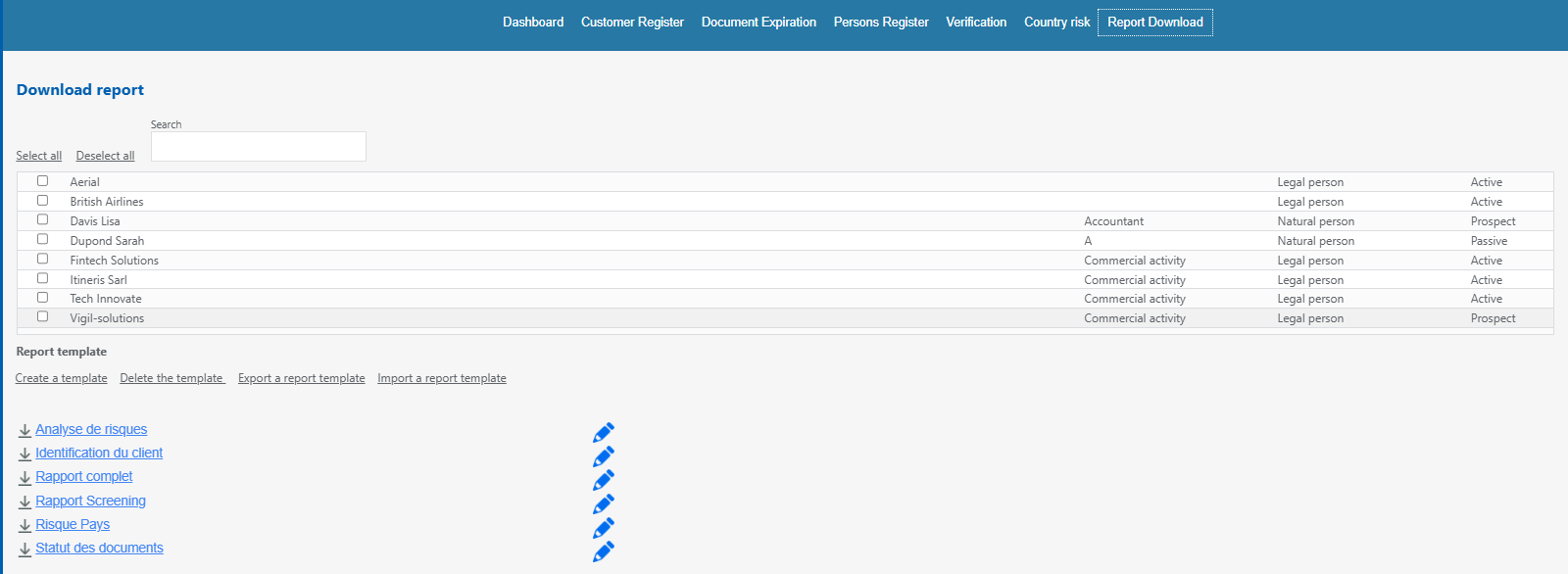
The «Report Download» tab allows you to generate PDF reports and manage report templates.
Warning!
The validation of reports takes place within the KYC files (see section 02.07).
Download a report #
1. Open the «Report Download» tab.
2. Select one or more clients to include in the report.
3. Choose the report template to use.
4. Start the report download
Create a report template #
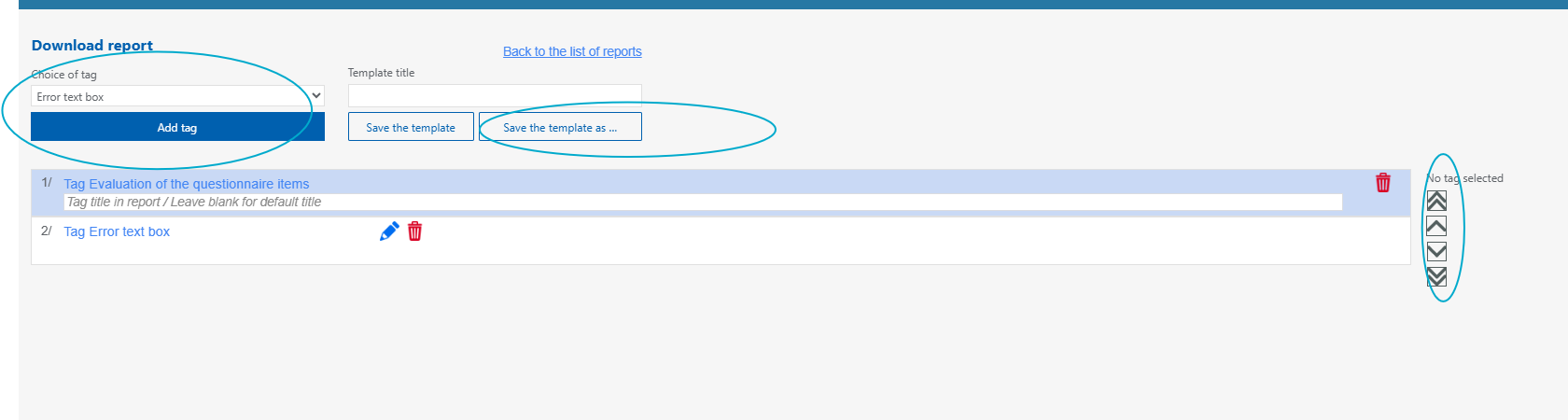
A template allows you to define the sections that will appear in the report. In VIGIL KYC, a tag corresponds to a section of the application, for example, risk analysis.
1. Click on "create a new template".
2. Choose the tags to include in the report.
3. Change the order of the tags if necessary.
4. Assign a name to the template.
5. Save the template.