
This procedure explains how to add and complete the records of proxies or beneficiaries linked to a client file.
Procedure – Create a proxy/beneficiary #
1. Open the customer file (by clicking on the customer's name in the customer register)
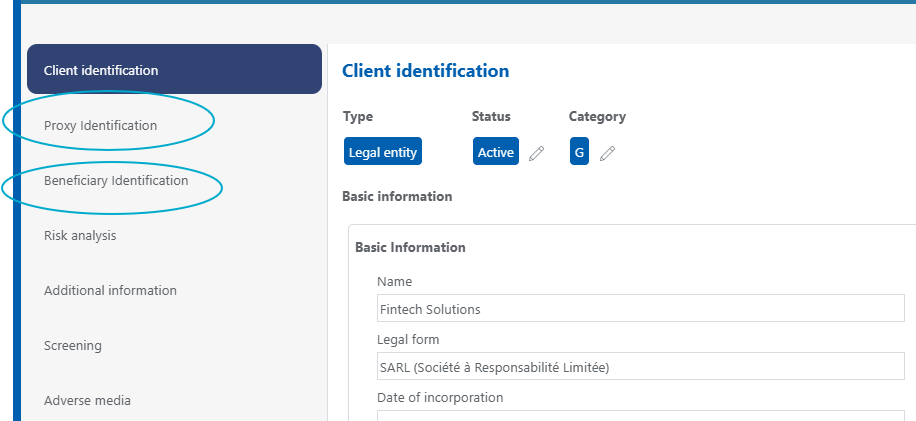
2. Go to the «Proxy Identification» or «Beneficiary Identification» section in the left-hand column
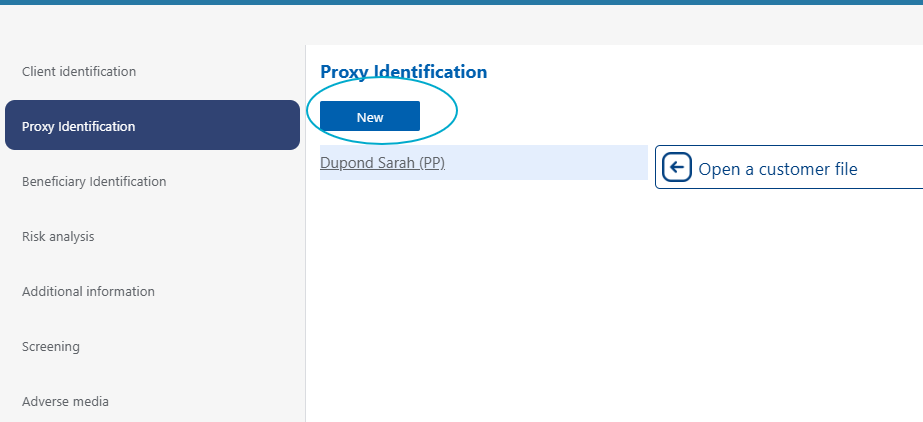
3. To add a proxy/beneficiary, click the «New» button.
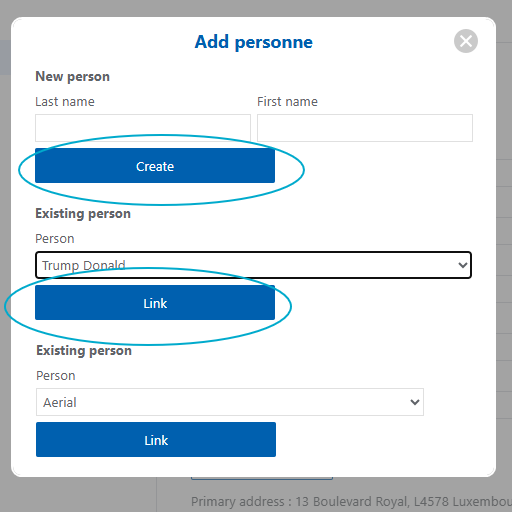
4. If the proxy/beneficiary has never been entered into the application, create them directly by entering their name
If the proxy/beneficiary has already been entered via the people register or if they are already an proxy/beneficiary for another client, select them via the drop-down menu.
5. Click create (if new proxy/beneficiary) or link (if existing proxy/beneficiary)
Procedure – Identify a proxy/beneficiary #
1. Open the customer file (by clicking on the customer's name in the customer register)
2. Go to the «Proxy Identification» or «Beneficiary Identification» section in the left-hand column
3. Click on the name of the proxy/beneficiary
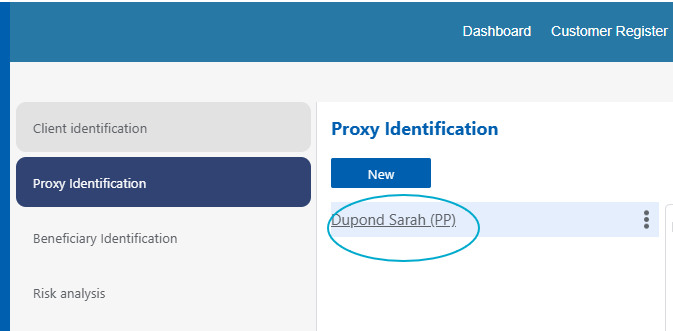
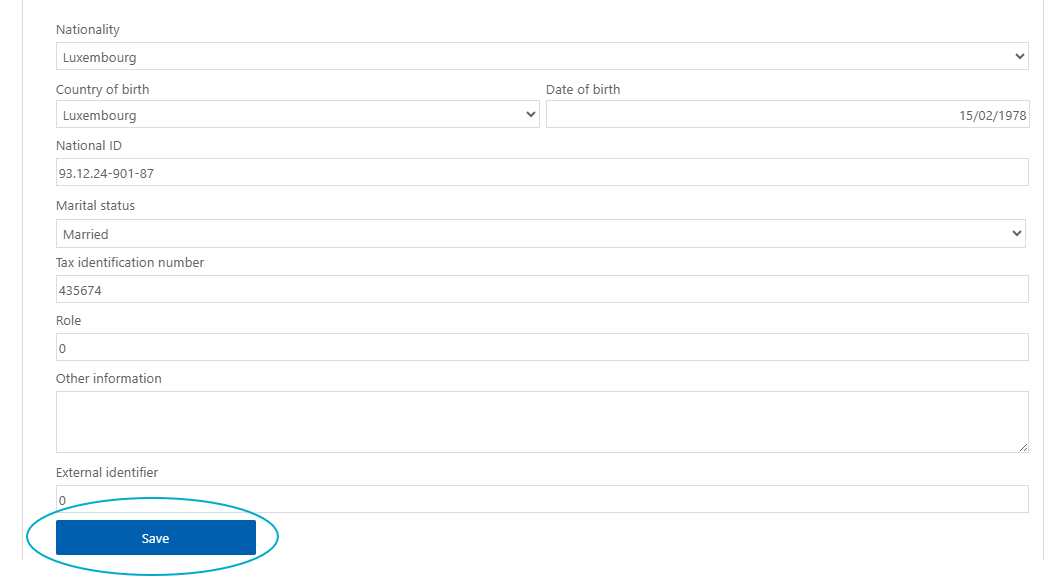
4. Complete the identification data and click Save
Procedure – Delete a proxy/beneficiary #
1. Open the customer file (by clicking on the customer's name in the customer register)
2. Go to the «Proxy Identification» or «Beneficiary Identification» section in the left-hand column
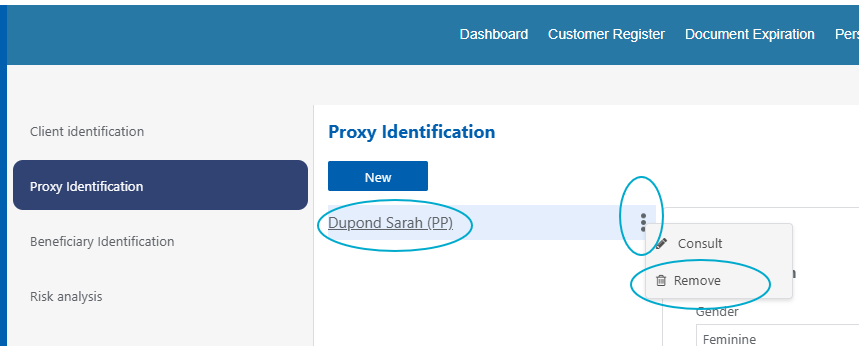
3. Click on the name of the proxy/beneficiary
4. Click the 3 small dots next to the proxy/beneficiary's name
5. Click «Remove»
Good to know #
1. If you link an existing proxy/beneficiary to a client, the previously entered information and associated documents will be copied to the client's file.
2. If a person is a representative/beneficiary for multiple clients, you can edit their details in any file, and the update will take place in all of them.
3. If you delete a proxy/beneficiary by following the procedure described in this chapter, only the link between the file and the proxy/beneficiary will be deleted. The person will still appear in the register of individuals.