
This section explains how to classify a customer as «Passive»
Please note! We recommend classifying your clients as «Passive» rather than deleting them. Deleting a record is irreversible and results in the deletion of all the record's history.
However, if you wish to delete a client folder, you must first download the approved reports and a backup of the documents attached to the file.
How to classify a customer as passive? #
1. Click on the relevant customer within the customer register
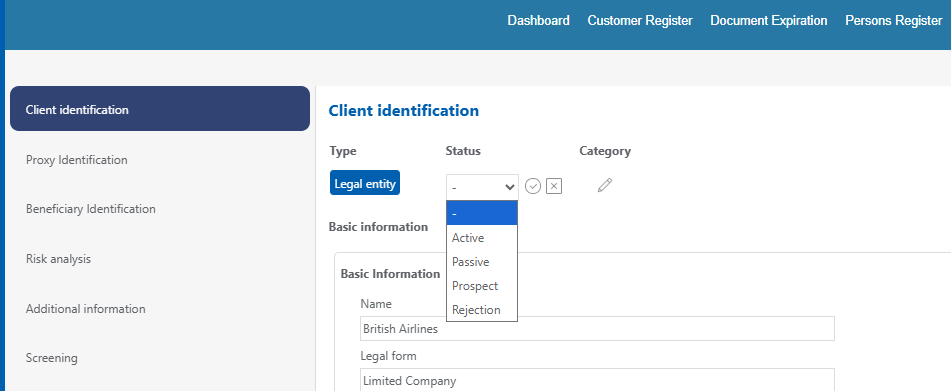
2. Within the file, on the «client identification» tab, click the small pencil next to the Status
3. Choose the appropriate status.
Points of attentión! #
If you have set up automatic screening for the client and its related parties, you must disable it manually by going to the screening configuration.
If you have indicated expiry dates for certain client documents, please remove them so that you do not receive reminders about closed kyc files.
A client classified as passive can, if necessary, be reactivated at a later date.